
Subscription
Review the selected company's plan, billing period and enabled products before a purchase or plan change.
Open this screen
Sidebar → Subscription.
When it is available
Available to users whose company roles permit this work. Country, subscription, company settings and the saved record's state can narrow the available controls.
QuickBooks connection
This screen prepares or displays work in FOR; opening it does not write to QuickBooks. Where a later step creates an accounting document, that step is identified separately. FOR:CEO never sends its accounting entries to QuickBooks.
- 1
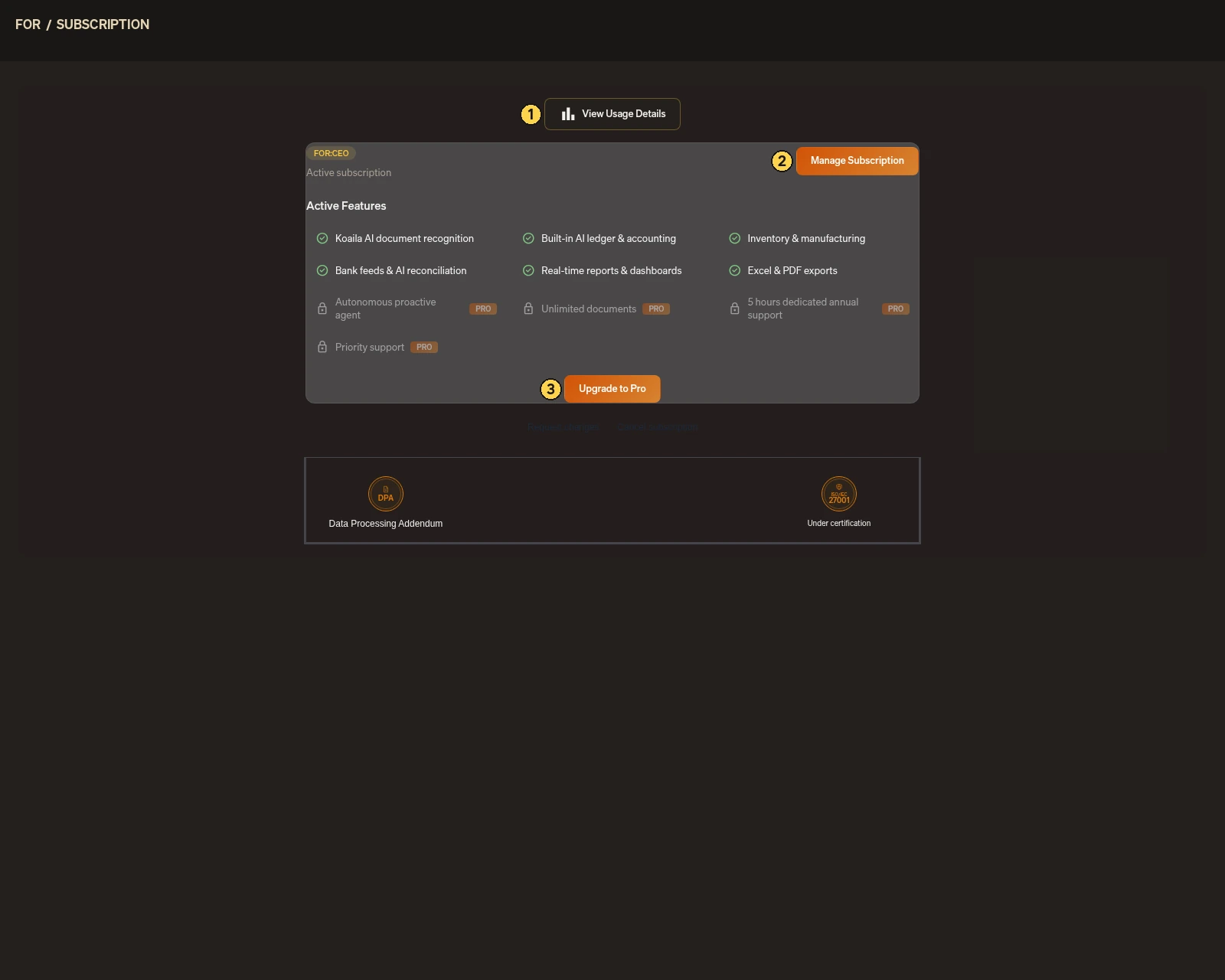
View Usage Details
Open the selected company's consumption and current product counts without changing its subscription.
- 2
Manage Subscription
The primary billing user opens the billing-management portal. Other company users can read the available subscription details but must ask the owner for changes.
- 3
Upgrade to Pro
Open the offered upgrade choices. Review the live price and recurring terms; choosing a button or viewing a quote is not itself a paid-order confirmation.
How to work here
Review the selected company's plan, billing period and enabled products before a purchase or plan change.
- Check the company and billing owner, active/trial state, currency and monthly/yearly period.
- Review the live quote, taxes, recurring charge and renewal terms before confirming a paid change.
- Use the available billing portal/invoice/download controls for billing administration. A company creation or connected bank is not subscription-purchase approval.
Every field and control
Use the exact label or hover over an icon to match it to this reference. A missing action is not the same as an empty field: check its availability below.
Manage Subscription
ActionThe primary billing user opens the billing-management portal. Other company users can read the available subscription details but must ask the owner for changes.
Availability: Only when offered by the current screen, role and saved workflow state. Read any confirmation before proceeding.
View Usage Details
ActionOpen the selected company's consumption and current product counts without changing its subscription.
Availability: Only when offered by the current screen, role and saved workflow state. Read any confirmation before proceeding.
Upgrade to Pro
ActionOpen the offered upgrade choices. Review the live price and recurring terms; choosing a button or viewing a quote is not itself a paid-order confirmation.
Availability: Only when offered by the current screen, role and saved workflow state. Read any confirmation before proceeding.
Download the available subscription invoice or credit note when you are the billing owner or authorized staff. This is not a customer sales invoice in the selected company's books.
Availability: Only when offered by the current screen, role and saved workflow state. Read any confirmation before proceeding.
Read the subscription's actual state and end/renewal date. A non-renewing term is not the same as immediate loss of all access.
Availability: Shown when the corresponding workflow and your permissions allow it; review required markers and any disabled-state explanation.
Read the displayed billing boundary; monthly and yearly products can have different periods.
Availability: Shown when the corresponding workflow and your permissions allow it; review required markers and any disabled-state explanation.
Product
FieldThe subscribed product/plan line. Review its inclusion separately from optional usage-billed products.
Availability: Shown when the corresponding workflow and your permissions allow it; review required markers and any disabled-state explanation.
Qty / Units
FieldThe subscription quantity or measured usage units for that particular product, not a general count of all company activity.
Availability: Shown when the corresponding workflow and your permissions allow it; review required markers and any disabled-state explanation.
Unit cost
FieldRead the displayed unit price with its currency and billing period; do not multiply monthly and annual prices together.
Availability: Shown when the corresponding workflow and your permissions allow it; review required markers and any disabled-state explanation.
Read the billed product amount and total for the stated period. Matured consumption is shown separately where applicable.
Availability: Shown when the corresponding workflow and your permissions allow it; review required markers and any disabled-state explanation.
Review usage-billed units and amounts separately from the fixed subscription. The panel states when those amounts are billed.
Availability: Shown when the corresponding workflow and your permissions allow it; review required markers and any disabled-state explanation.
Billing documents · Date
FieldIssue date of the subscription billing document, not the date of a customer's transaction.
Availability: Shown when the corresponding workflow and your permissions allow it; review required markers and any disabled-state explanation.
Identify the invoice or credit note and read its actual status before assuming it has been paid, voided or credited.
Availability: Shown when the corresponding workflow and your permissions allow it; review required markers and any disabled-state explanation.